Laravel AWS deployment is not just a matter of placing a PHP application on a virtual machine. A production Laravel system usually includes an application runtime, relational data, queues, scheduled tasks, file storage, caching, logs and operational controls. Each part needs a clear ownership model and a failure strategy.
A sensible AWS architecture separates those responsibilities without introducing unnecessary infrastructure. For many growing applications, that means a managed relational database, object storage for user files, a load-balanced application tier, a queue worker tier and managed caching where the workload justifies it. The right design depends on traffic patterns, data sensitivity, deployment frequency, team capability and recovery requirements.
This guide explains the main decisions behind a maintainable Laravel deployment, including how to handle requests, queues, database changes, secrets, files, observability and future scale.
Start with Laravel’s runtime responsibilities
Before selecting AWS services, map what the Laravel application actually does. A typical production system may need to support:
- HTTP requests for browser users, mobile clients or partner APIs
- Authentication, authorization and session management
- Eloquent queries and transactional business operations
- Queued work such as email, imports, exports, notifications and billing events
- Scheduled commands for cleanup, synchronization and recurring workflows
- Cached data, rate limits and short-lived application state
- Uploaded files, generated reports and private documents
- Application logs, audit records and operational alerts
This inventory prevents a common deployment mistake: treating every process as part of the web server. Web requests, queue workers and scheduled commands have different resource profiles and failure modes. Separating them makes scaling and troubleshooting more predictable.
A practical AWS architecture for a growing Laravel application
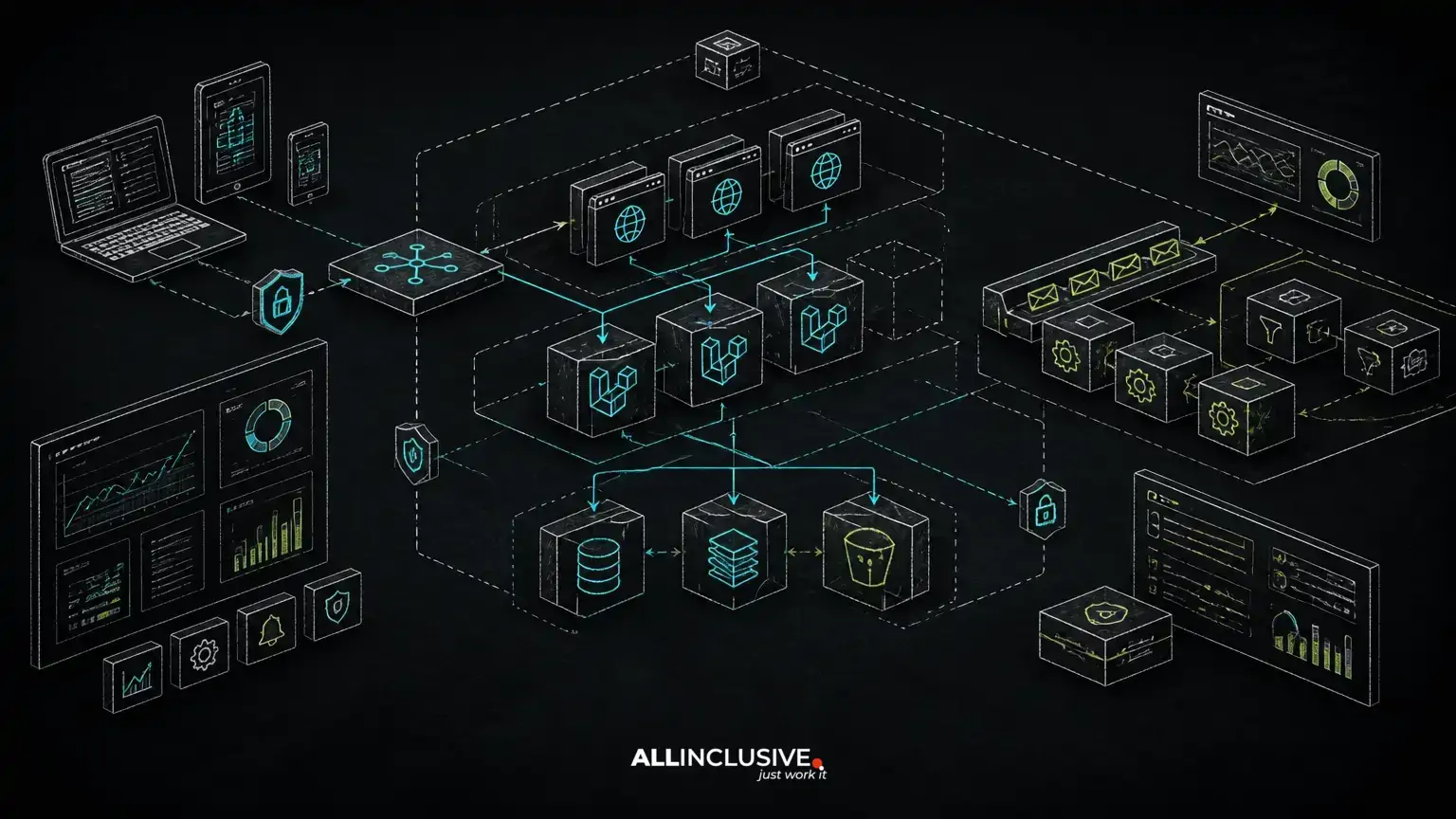
A common baseline architecture contains several layers:
- DNS and edge protection: Route traffic through a domain and, where appropriate, use an edge distribution and web application firewall.
- Load balancing: Distribute HTTP traffic across multiple application instances when availability and capacity require it.
- Application runtime: Run Laravel on managed container infrastructure or virtual machines with repeatable provisioning.
- Relational database: Use a managed database service for the primary transactional store, backups and controlled maintenance.
- Object storage: Store durable uploads and generated files outside the application filesystem.
- Queue processing: Run workers separately from web processes and connect them to a durable queue backend.
- Cache: Use a managed in-memory service for shared cache, locks or other explicitly designed use cases.
- Observability: Centralize logs, metrics and alerts so failures are visible across the system.
The services can vary. The architectural principle is more important than a specific AWS product: keep ephemeral compute separate from durable data and make every operational dependency explicit.
Choose the application runtime based on operational ownership
Laravel can run on AWS virtual machines, containers or a platform abstraction. A virtual-machine approach may provide direct control over PHP versions, web-server configuration and system packages. It can work well when the team already operates Linux hosts and has reliable provisioning, patching and rollback procedures.
Containers provide a stronger boundary between the application artifact and the host. A Laravel image can define the PHP runtime, extensions and system dependencies consistently across development, testing and production. The trade-off is that the team must understand image builds, health checks, task lifecycle, log collection and configuration injection.
Managed application platforms can reduce infrastructure administration, but they still require careful handling of queues, scheduled jobs, storage, database migrations and secrets. A platform does not remove the need to understand Laravel’s runtime model.
For a custom SaaS or API, select the runtime your team can operate repeatedly. The least expensive infrastructure on paper can become costly if releases require manual server changes or if diagnosing a failed worker depends on one person’s knowledge.
Keep web requests, queues and schedules separate
Laravel’s web process should remain focused on handling HTTP requests. Long-running imports, report generation, outbound notifications and third-party synchronization belong in queues. Running those tasks inside a request increases timeout risk and ties user experience to external systems.
Queue workers should be deployed as an independent process group so they can scale according to backlog rather than web traffic. Worker configuration should define sensible timeouts, retry behavior and memory limits. Jobs should be designed for retries: use idempotency keys, record progress where needed and avoid creating duplicate side effects when a job is delivered more than once.
Scheduled commands also deserve an explicit operating model. A scheduler can trigger Laravel’s scheduled tasks, but the underlying execution needs protection against overlapping runs and partial failures. Commands that synchronize data or issue billing actions should record their state so an interrupted run can resume safely.
For subscription workflows, webhook processing should normally acknowledge requests quickly and defer substantial work to a queue. The related data model and event handling approach are covered in our guide to Stripe and Paddle integration in Laravel.
Design database connectivity and migrations for deployment
The database is usually the most consequential stateful component in a Laravel deployment. Place it in a private network segment where possible, restrict access to the application security group and use encrypted connections when supported by the chosen database configuration.
Connection pooling, query efficiency and transaction boundaries matter more as traffic grows. Review Eloquent relationships, eager loading, indexes and pagination before adding infrastructure. A larger application tier cannot compensate for unbounded queries or a transaction that holds locks while calling an external service.
Database migrations should be treated as release artifacts. A safe migration may need multiple stages: add a nullable column, deploy code that writes both representations, backfill in controlled batches, then remove the old structure in a later release. Avoid migrations that require a long table lock during peak usage.
Backups are not the same as recovery. Define how the team would restore data, how application compatibility would be handled during restoration and which records require separate audit or retention controls. The answer should be documented before an incident.
Use object storage instead of relying on local disks
Local application disks are usually unsuitable for durable user uploads when requests can reach multiple instances or when containers can be replaced. Store durable files in object storage and keep only metadata in the database, such as the object key, ownership, content type and lifecycle state.
Private files should be accessed through controlled application authorization or short-lived signed URLs. Validate upload size and type, generate safe object names and avoid trusting client-supplied filenames. If the application processes uploaded documents, isolate parsing and scanning work from the request path.
File lifecycle policies can reduce operational clutter, but deletion should follow business rules. A user-facing delete action may need a retention period, an audit event or a recovery path rather than immediate physical removal.
Manage configuration, secrets and network boundaries
Laravel configuration should be environment-specific without embedding credentials in the codebase or container image. Store secrets in a managed secret facility or protected parameter store, grant access through workload identity and rotate credentials according to the system’s risk profile.
Separate public configuration from secrets. A frontend asset may need an API base URL, while database credentials, signing keys and payment provider secrets must never be exposed to the browser. Review build pipelines and logs for accidental secret disclosure.
Use private subnets for databases and internal services, restrict inbound traffic with security groups and expose only the components that must accept public connections. Network design is not a substitute for application authorization: Laravel policies, gates and request validation still determine whether an authenticated user may perform an action.
Build releases around repeatability and rollback
A deployment pipeline should build a known application artifact, run automated checks and promote the same artifact through environments. Useful checks include unit tests, feature tests, static analysis where adopted, dependency validation, migration checks and smoke tests against a deployed environment.
Release steps commonly include:
- Build the application artifact and install production dependencies.
- Run tests and security checks appropriate to the codebase.
- Apply configuration through the deployment environment rather than source control.
- Run database migrations using a controlled release step.
- Deploy web and worker processes using compatible code and configuration.
- Clear or warm relevant caches according to the release design.
- Run smoke tests for authentication, critical workflows and health endpoints.
- Monitor error rates, queue backlog and database behavior after release.
Deploying web code before a compatible migration, or restarting workers at the wrong point, can create mixed-version failures. Backward-compatible schema changes and deliberate worker restarts reduce this risk. The broader release discipline is discussed in Laravel testing and CI/CD: building a release process your team can trust.
Make observability part of the Laravel design
Logs should answer what failed, for which operation and with which correlation context. Avoid logging passwords, tokens, payment details or sensitive personal data. Include useful identifiers such as request IDs, job IDs and internal entity IDs where they do not expose confidential information.
Monitor more than server health. Application-level signals include response errors, slow requests, queue age, failed jobs, scheduled-command failures, database connection saturation and storage errors. Alerts should identify an action, not merely report that a metric crossed a threshold.
Health checks should distinguish process availability from dependency readiness. An instance that can accept a TCP connection but cannot reach its database is not healthy for most user workflows. At the same time, avoid making every health endpoint dependent on a slow or fragile external service.
Control security and maintenance risk after launch
Laravel security depends on both framework defaults and application decisions. Keep the framework and PHP runtime within supported maintenance policies, review dependencies, protect session and cookie settings, validate authorization at the server and rate-limit sensitive endpoints.
Operational maintenance includes patching the base image or host, renewing certificates, reviewing IAM permissions, testing backups, checking failed jobs and removing unused access. A deployment that works on launch day can still become a liability if no one owns upgrades and incident response.
For teams that need ongoing help with releases, monitoring or application changes, Laravel support and maintenance services can complement the original engineering work. The objective is not to add infrastructure for its own sake; it is to keep the system understandable and supportable as business rules evolve.
When a simpler Laravel AWS deployment is appropriate
Not every application needs multiple availability zones, independent worker fleets or complex service boundaries on its first release. A smaller system may begin with one managed application environment, a managed database, object storage and a queue process, provided the deployment is automated and the design leaves room for separation later.
Complexity becomes justified when there are distinct traffic patterns, meaningful availability requirements, long-running jobs, sensitive data boundaries or multiple teams deploying independently. Introduce each layer because it solves a measured problem or a clear operational requirement.
For broader application architecture and custom product engineering guidance, see Laravel development services and the wider software development practice.
Laravel AWS deployment checklist
- Application, queue and scheduler responsibilities are documented separately.
- Compute is replaceable without losing durable data.
- Database access is private, encrypted where appropriate and backed up.
- Migrations support compatible application rollout and recovery.
- Uploads use object storage with explicit authorization and lifecycle rules.
- Secrets are injected securely and are absent from source control and logs.
- Queue jobs tolerate retries and record failures for investigation.
- CI/CD runs tests, creates repeatable artifacts and supports rollback.
- Logs, metrics and alerts cover application and infrastructure behavior.
- A named owner handles patching, upgrades, backups and incident response.
A strong Laravel AWS deployment is an extension of application architecture. When domain logic, data, asynchronous work and operational ownership are designed together, AWS can provide room for growth without turning every release into an infrastructure exercise.