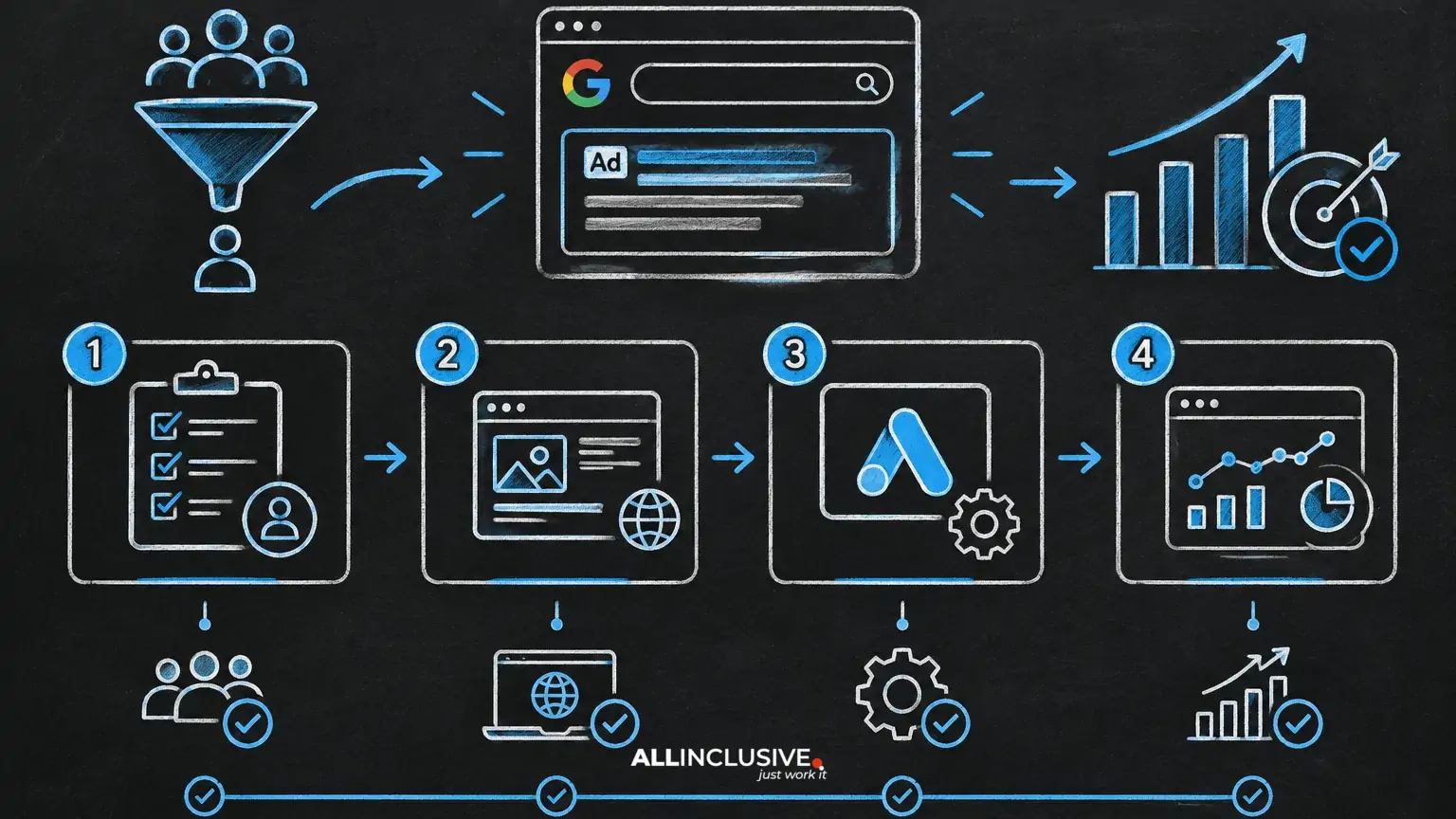
A successful Google Ad Grants application is easier to manage when it is treated as a readiness project rather than a form submission. Before applying, your organization should be able to demonstrate that it is an eligible nonprofit, maintain a credible public website, provide required organizational information and operate advertising campaigns with clear public benefit.
This checklist focuses on preparation. Google’s program requirements and application process can change, so confirm the current rules and instructions in the official Google for Nonprofits and Google Ad Grants documentation before submitting. For broader context, see our Google Ad Grants guide.
What to prepare before a Google Ad Grants application
Gather the following before you begin:
- Legal organization name and registration details
- Evidence of nonprofit status for your country or jurisdiction
- Authorized administrator or contact information
- A public-facing organizational website
- A clear explanation of your mission and beneficiaries
- Priority services, programs or information you want people to find
- A plan for tracking meaningful actions on the website
- Internal ownership for account administration, content and compliance
Preparation matters because the grant is not simply media credit. It creates an ongoing operational responsibility: campaigns must be relevant, destinations must be useful, and account activity must remain aligned with program policies.
Step 1: Confirm nonprofit eligibility
Start by checking whether the organization meets the program’s current eligibility conditions. The exact requirements depend on the organization’s legal status and location, and some categories of organizations may be excluded or subject to additional conditions.
Review organizational status
- Confirm that the applying entity is the same organization represented on its website and in its registration documents.
- Check that the organization’s nonprofit or charitable status is current.
- Identify the authorized person who can complete verification and manage the account.
- Review whether your country or region is supported by the program.
- Check whether any special restrictions apply to your organization type.
Do not submit using a partner’s identity, a related foundation’s details or a project name that is not the legally recognized applicant. Mismatches can create delays during verification and make future account administration more difficult.
If you are uncertain about eligibility, separate the question into two parts: whether the entity qualifies, and whether the specific website and program activity are suitable for advertising. Our guide to Google Ad Grants eligibility can help structure that review.
Step 2: Prepare verification information
Application and verification workflows may require information about the organization, its legal status and its authorized representative. Prepare accurate source documents and use consistent naming across the application, website and nonprofit profile.
Use a consistency check
Compare the following fields before submission:
- Organization name
- Website domain
- Country or jurisdiction
- Authorized contact name and email
- Registration or tax information, where requested
- Mission description
Use an organizational email address where practical, especially for administrative ownership. Avoid creating an account that only one employee can access. Store recovery details and access instructions in an approved internal location.
Do not alter documents to fit an application field or use an outdated registration record. If the organization recently changed its name, merged, moved domains or changed legal structure, resolve that discrepancy before applying or be ready to explain it through the appropriate verification channel.
Step 3: Audit the website before applying
The website is the primary destination for grant-funded traffic. It should make the organization’s identity, mission and next step clear to a first-time visitor. A polished design is not the main requirement; clarity, accessibility and trust are more important.
Website readiness checklist
- The organization’s name and mission are easy to find.
- Visitors can understand who the organization serves.
- Programs, services or educational resources are described in plain language.
- Contact information is available and functional.
- Key pages work on mobile devices.
- Pages load reliably and do not produce broken links or error messages.
- Donation, volunteer, enrollment or contact paths are understandable.
- Privacy and other legally required disclosures are handled appropriately for the organization’s jurisdiction.
- Advertising landing pages provide substantial information related to the search intent.
Review the website as both a user and an auditor. If an ad promises help with a specific program, the destination should explain that program directly—not send users to a generic homepage with no clear route forward.
Step 4: Define the public-benefit use case
Before building campaigns, write a one-page statement explaining how search advertising will advance the organization’s mission. This is useful for application preparation, stakeholder approval and later optimization.
Include:
- The audiences you want to reach
- The questions or needs those audiences have
- The programs, resources or services that answer those needs
- The actions visitors should take
- The pages that will receive traffic
- The outcomes the organization will monitor
For example, a community legal organization might prioritize searches from people seeking information about an eligible service area. A conservation nonprofit might promote educational resources, volunteer opportunities or event registrations. The strategic test is whether the campaign connects a real search need with a useful nonprofit resource.
Do not define the plan only as “use the available credit.” A larger volume of low-intent visits can create reporting work without advancing the mission. Start with the audiences and outcomes, then determine where paid search can help.
Step 5: Choose initial campaign priorities
Keep the first campaign plan focused. A new account usually benefits from a small set of clearly differentiated themes rather than a large collection of loosely related keywords.
Prioritize by intent
- Action-oriented searches: people looking for a service, program, application or registration.
- Resource searches: people seeking guides, education, research or practical information.
- Participation searches: people looking for volunteer, event or community opportunities.
- Branded searches: people already seeking the organization or a known program.
Map each theme to a specific landing page. If one page cannot answer the searcher’s question, create or improve the page before sending traffic to it.
Build a preliminary keyword list, but do not assume every keyword should be activated. Review intent, geographic relevance, eligibility constraints, likely user expectations and the organization’s capacity to respond. Keyword selection and compliance are connected: weakly related terms can produce poor user experiences and policy risk.
For a deeper framework, read Google Ad Grants keyword strategy.
Step 6: Plan conversion tracking before launch
Decide what success means before ads run. A conversion should represent a meaningful action—not simply any visit to a page.
Potential nonprofit conversion actions
- Completed donation
- Volunteer application or interest form
- Program registration
- Service inquiry
- Event registration
- Newsletter or resource subscription
- Download of a substantive guide
- Click to call, where calls are handled and qualified appropriately
Assign an owner to each conversion. Someone should know where the lead, registration or inquiry goes, how quickly it is handled and how its quality is reviewed. If a form is not monitored, counting submissions as success can give the account a misleading signal.
Document the measurement design in a simple table with the action, source page, confirmation method, owner and reporting purpose. This makes troubleshooting easier and reduces the temptation to optimize toward low-value engagement later.
Our guide to Google Ad Grants conversion tracking covers the measurement decisions that should be made before optimization.
Step 7: Establish account and access controls
Assign roles before the application is complete. At minimum, determine who will own the organization’s nonprofit profile, who will administer the advertising account and who will review performance and compliance.
- Use individual user access rather than shared credentials.
- Keep administrative ownership with the organization, not an outside contractor.
- Document access changes when staff or agencies change.
- Set a recurring review of billing, account notifications and security settings, even where the grant covers eligible advertising costs.
- Maintain a written record of campaign objectives, landing pages and conversion definitions.
Ownership is especially important for small nonprofits. A campaign can continue to receive traffic while no one is monitoring inquiries, policy notifications or destination-page changes. Clear responsibility prevents the grant from becoming an unmanaged channel.
Step 8: Prepare for ongoing compliance
Application approval is not the end of the process. The account must continue to follow the program’s current policies and any applicable Google Ads requirements. These may concern keyword relevance, landing-page quality, account activity, conversions, targeting or prohibited content.
Build a monthly operating routine
- Review account notifications and policy alerts.
- Check that ads and keywords still match their landing pages.
- Remove or pause themes that generate irrelevant traffic.
- Review search terms and add appropriate exclusions.
- Confirm that conversion actions still work.
- Check forms, donation paths and contact routes.
- Review whether campaign activity supports current organizational priorities.
- Record changes and decisions for internal accountability.
Policies and enforcement details can change, so avoid relying on an old checklist indefinitely. See Google Ad Grants compliance for a dedicated review framework.
Step 9: Submit only after a final readiness review
Use a final go/no-go review before submitting the application or activating campaigns.
Application readiness questions
- Is the applicant’s legal identity clear and consistent?
- Can the authorized contact complete verification?
- Does the website clearly explain the organization and its public benefit?
- Are priority landing pages live, useful and accessible?
- Are campaign themes tied to real programs, resources or services?
- Are conversion actions defined and technically testable?
- Does someone own account administration and compliance?
- Is there a documented first-month review schedule?
If several answers are “not yet,” delay submission long enough to fix the underlying issue. A short preparation cycle is usually more efficient than launching into an account with unclear ownership, weak destinations or no measurement plan.
What to do after approval
After approval, begin with a controlled launch. Activate a limited number of campaigns, test every destination and verify that conversions are recorded as expected. Review search terms and user behavior before expanding into additional themes.
Separate three types of decisions:
- Strategic: which audiences and mission outcomes matter most.
- Operational: who manages campaigns, forms, content and follow-up.
- Platform-specific: how current Google Ads settings and program requirements are implemented.
This separation helps the organization adapt when platform mechanics change without losing sight of its mission. For broader paid-media planning across search and other channels, visit our paid media resource hub.
Google Ad Grants Application: Final Review Checklist
- Confirm current eligibility and supported location.
- Gather accurate legal and verification information.
- Make organization identity and mission clear on the website.
- Improve priority landing pages and user journeys.
- Define audiences, search intent and campaign themes.
- Plan meaningful conversions and assign owners.
- Set secure access and administrative ownership.
- Create a recurring compliance and performance review.
- Submit only when the organization can support ongoing management.
The strongest Google Ad Grants applications are backed by operational readiness. When eligibility, website quality, measurement and ownership are addressed before submission, the grant becomes easier to manage as a mission channel—not merely a source of free advertising.