
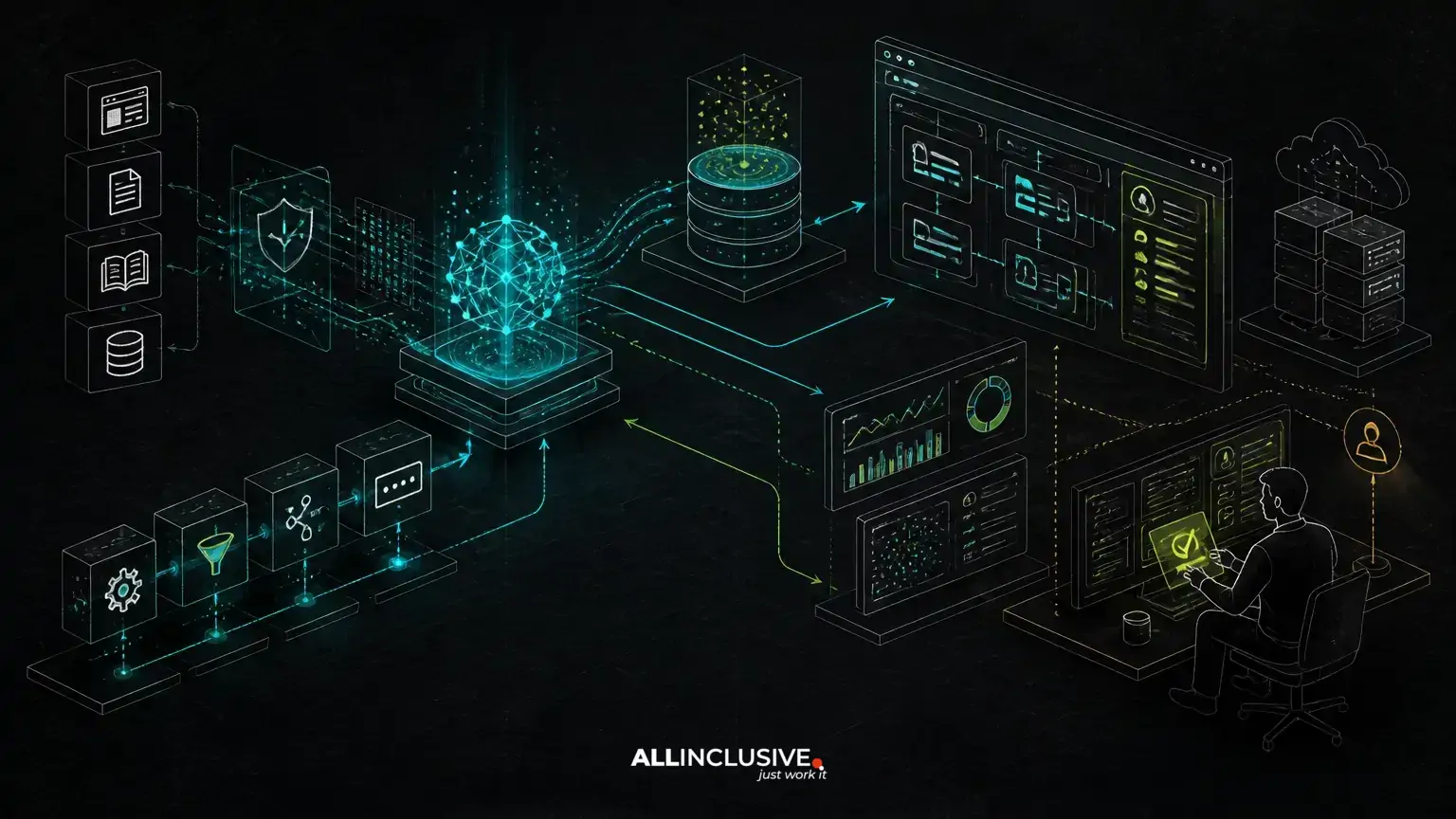
What custom AI development includes depends on whether the goal is a demonstration or a dependable product capability. A production system typically requires more than an API call to an LLM: it needs application architecture, data and retrieval design, permissions, evaluation, monitoring, cost controls, failure handling and a clear human workflow.
The model is only one component. Custom AI development connects model behavior to a business process while making that behavior testable, observable and safe enough to operate. That may mean a Python service for AI workloads alongside Laravel or another application layer that manages users, records, permissions and product workflows.
What custom AI development should include
A useful scope usually covers six related areas:
- Use-case and workflow design: define what the system should do, what it must not do and when a person takes over.
- AI architecture: select models, prompts, retrieval components, tools, services and integration boundaries.
- Data grounding: connect responses to approved business data through retrieval, structured queries or other controlled sources.
- Quality and safety controls: create evaluations, permission checks, validation and fallback behavior.
- Operations: monitor quality, latency, errors, usage, cost and changes in model behavior.
- Product integration: make the capability fit authentication, billing, workflows, interfaces and existing systems.
These elements distinguish custom AI software from a thin wrapper around a model provider.
1. A clearly bounded business workflow
Before selecting a model, define the job the system is performing. “Use AI to improve support” is too broad to guide architecture or testing. A more useful definition might be: classify an incoming request, retrieve approved policy content, draft a response and route uncertain cases to a support specialist.
Workflow design should specify:
- the input types the system accepts;
- the output format and required fields;
- the authoritative data sources;
- actions the system may take;
- conditions requiring human approval;
- failure and escalation paths; and
- how success will be measured.
This prevents a common failure mode: building an impressive conversational demo without deciding how its output becomes part of a real business process.
2. An architecture suited to the workload
Production AI often benefits from separating application responsibilities from model-oriented processing. An existing Laravel or PHP application may own authentication, accounts, permissions, queues, transactions and user-facing workflows. Python may own document processing, retrieval pipelines, model orchestration or specialized data work. The exact split should follow operational and team requirements rather than fashion.
A typical architecture can include:
- an application layer for user and business workflows;
- an AI service for prompts, model calls and orchestration;
- background jobs for long-running or asynchronous work;
- a document or data ingestion pipeline;
- retrieval infrastructure or structured data access;
- logging, tracing and evaluation systems; and
- human-review interfaces where automated output is not sufficient.
Clear boundaries improve maintainability. They also make it easier to replace a model, change a retrieval strategy or add a review step without rewriting the entire product.
For broader implementation context, see Python development and the overview of web development capabilities.
3. Model integration with routing and fallbacks
Connecting to a model requires more than storing an API key and sending a prompt. The integration should account for timeouts, rate limits, malformed responses, unavailable providers and model changes.
Depending on the use case, custom development may include:
- structured output validation;
- model selection based on task complexity;
- routing between fast, inexpensive models and more capable models;
- retry policies that do not duplicate irreversible actions;
- fallback responses or alternative providers;
- request cancellation and timeout handling; and
- versioned prompts and configuration.
Model routing is not automatically beneficial. It adds decision logic and testing requirements. It is worthwhile when differences in quality, latency, privacy or cost materially affect the workflow.
4. Retrieval and data grounding
When an AI feature must answer from changing company information, retrieval-augmented generation, or RAG, may be more appropriate than relying on model training alone. A retrieval pipeline commonly involves document ingestion, parsing, chunking, embeddings, search, optional reranking and context assembly before generation.
Production retrieval needs decisions about:
- which documents are authoritative;
- how content is versioned and removed;
- how access permissions are carried into search;
- how metadata such as department, customer or date is used;
- how citations or source references are displayed;
- what happens when retrieval returns weak or conflicting results; and
- how retrieval quality is evaluated independently from answer quality.
Vector search is not a substitute for information architecture. Some questions are better answered with relational queries, filters, keyword search or a combination of approaches. Choosing between these options affects accuracy, explainability and maintenance.
For related decisions, read RAG vs. fine-tuning and pgvector vs. Pinecone.
5. Agents and tools only where they add value
Agentic systems can select tools, perform multiple steps and respond to intermediate results. They can be useful for workflows such as researching records, preparing a structured case summary or coordinating approved actions.
They also introduce additional failure modes. An agent may choose the wrong tool, loop unnecessarily, use stale context or attempt an action with consequences that were not anticipated. Custom agent development should therefore define:
- an explicit tool registry and input schema;
- allowed actions and authorization checks;
- step limits, timeouts and budgets;
- transaction boundaries and rollback behavior;
- confirmation requirements for consequential actions; and
- traces that show why each tool was called.
If a deterministic workflow can solve the problem, it is often easier to test and operate than an unconstrained agent. See what makes an AI agent production-ready for a more focused treatment.
6. Evaluation before and after launch
Traditional software tests are necessary but insufficient for systems with probabilistic output. A production AI project needs an evaluation approach based on representative inputs and defined acceptance criteria.
Evaluation may cover:
- factual accuracy and completeness;
- grounding in approved sources;
- classification or extraction correctness;
- format compliance;
- refusal and escalation behavior;
- resistance to prompt injection and irrelevant instructions;
- latency and token usage; and
- regressions after changing prompts, models or retrieval settings.
Use a versioned test set that reflects real variations, including ambiguous, incomplete and adversarial inputs. Automated checks can provide repeatability, while expert review remains important for nuanced outputs. Evaluation is not a one-time launch gate; it should run as the system changes.
7. Observability, cost and latency controls
AI features can fail in ways that are difficult to see from ordinary application logs. Observability should connect a user request to the relevant retrieval operations, model calls, tool calls, validation results and final outcome.
Useful signals include:
- request and step-level latency;
- timeouts, retries and provider errors;
- input and output token usage where available;
- retrieval hit quality and source selection;
- validation failures and fallback frequency;
- human edits, approvals and escalations; and
- cost by feature, tenant, workflow or model.
Logging must be designed alongside privacy requirements. Sensitive prompts and retrieved content should not be copied into unrestricted logs simply because they are useful for debugging. Redaction, access control, retention rules and environment separation may be required.
8. Privacy, permissions and security
AI systems often process customer records, internal documents or personally identifiable information. Privacy cannot be delegated entirely to the model provider or hidden inside a prompt.
The application should establish:
- which users and services may access each data source;
- how tenant and record-level permissions apply during retrieval;
- what information may be sent to external model services;
- how data is retained, deleted and audited;
- how secrets and provider credentials are managed; and
- how prompt injection, data exfiltration and unsafe tool use are handled.
Permission checks should occur in application and data-access layers, not only in natural-language instructions. A prompt that says “do not reveal confidential records” is not an authorization system.
9. Human review and operational ownership
Human review is not evidence that an AI system failed. For many workflows, it is the correct control for uncertainty, regulated decisions, customer-facing communication or irreversible actions.
A useful review design shows the person:
- the generated output;
- relevant source material or citations;
- uncertainty or validation warnings;
- the action being proposed; and
- clear options to approve, edit, reject or escalate.
Teams also need ownership after launch. Someone must decide who maintains prompts, reviews evaluation failures, updates source data, handles provider incidents and approves model changes. Without operational ownership, a feature can degrade while appearing technically available.
Prototype versus production custom AI development
A prototype can demonstrate that a model is capable of producing useful output. Production development must show that the capability remains useful under real permissions, data quality, traffic, failures and changing requirements.
A prototype may use a fixed prompt, a small document set and manual testing. A production system generally needs versioning, validation, monitoring, access control, repeatable evaluations, fallback behavior and a defined review process. The transition is not simply a matter of adding infrastructure; it often changes the workflow and product design.
This distinction is central to AI proof of concept versus production system.
A practical scope checklist
Before approving a custom AI initiative, ask:
- What specific user or business workflow is being improved?
- What data must the system use, and which sources are authoritative?
- Should the solution use retrieval, structured queries, tools, fine-tuning or a simpler deterministic design?
- How are permissions enforced before context reaches the model?
- What outputs and actions require human approval?
- How will quality, latency, cost and safety be evaluated?
- What happens when the model, provider, retrieval layer or downstream service fails?
- Who owns monitoring, prompt changes, data updates and incident response?
If these questions have no clear answers, the project is probably still at the discovery or prototype stage.
Making custom AI a maintainable product capability
Custom AI development includes the surrounding engineering that makes model behavior useful, controlled and supportable. LLM integration, RAG, agents and embeddings may be part of the solution, but they do not replace workflow design, permissions, evaluation, observability or human judgment.
The strongest architecture is usually the one that gives each component a clear responsibility: the model handles tasks suited to probabilistic reasoning, application code enforces business rules, retrieval supplies approved context, and people remain involved where uncertainty or consequences demand it. That approach produces a system the product team can improve rather than a demo that becomes difficult to trust.
For a broader view of how these capabilities fit into custom software delivery, explore AI development services and the development hub.


