
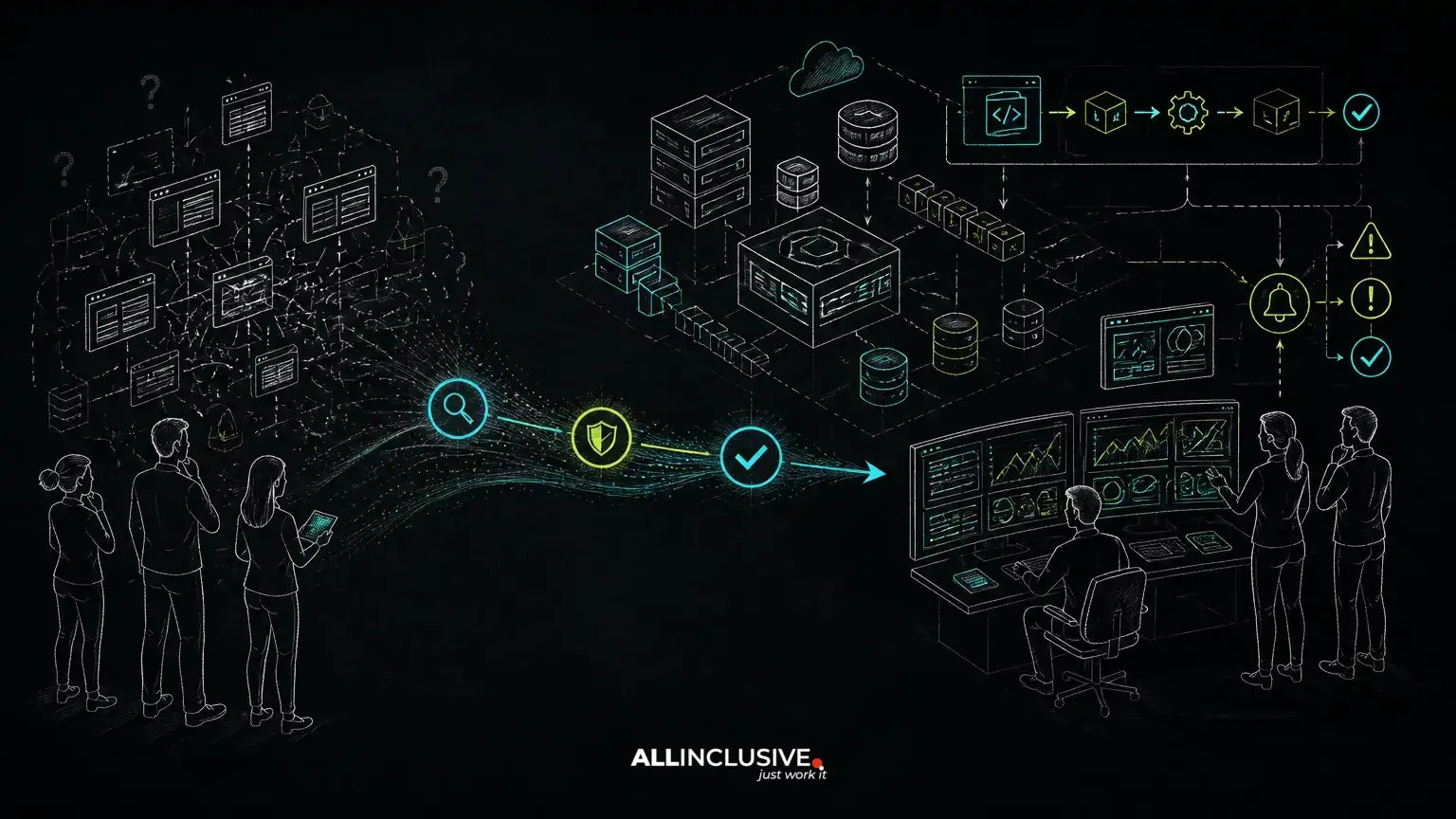
Taking over an inherited codebase is not the same as starting a maintenance backlog. The first objective is to establish safe ownership: understand how the application works, detect failures before users report them, preserve release control and identify risks that could interrupt the business.
A disciplined first 30 days should produce an operational baseline, not a premature rewrite plan. Whether the system is a Laravel application, a broader PHP platform or a Python service, the support team needs enough evidence to decide what must be stabilized immediately, what can wait and what deserves a longer modernization effort.
Days 1–5: Establish access, ownership and operating boundaries
Begin with an inventory of the application and the people or vendors connected to it. Access should be sufficient to investigate and recover the system, but still governed through least-privilege practices and documented ownership.
- Source repositories, branches, release tags and deployment configuration
- Production, staging and development environments
- Cloud accounts, servers, containers, queues, scheduled jobs and storage
- Databases, backups, third-party APIs, payment services and email providers
- Application, infrastructure and security monitoring
- Secrets management, access expiration and emergency contacts
- Existing service-level agreements, escalation paths and maintenance windows
Record who can approve a production release, who owns external dependencies and who can authorize an emergency change. An inherited application often has technical access without operational ownership: several people may be able to deploy, while nobody is clearly responsible for deciding whether a risky change should ship.
Also document what the application does for the business. Identify critical user workflows, revenue-generating functions, internal operations and data that must be protected. This prevents the support team from treating every defect as equally urgent.
Days 6–10: Build a working system map
The system map should describe how a request moves through the application and where failure can occur. It does not need to be a perfect architecture diagram. It needs to be useful during an incident and precise enough to guide safe changes.
For a typical web application, trace the path from DNS and the edge layer through the web server, application runtime, database, cache, queue workers, scheduled tasks and external services. In a Laravel or PHP system, inspect the framework version, runtime version, configuration loading, queue implementation, database migrations and deployment process. In a Python system, review the application server, dependency management, background workers and environment-specific settings.
Pay particular attention to boundaries that are easy to miss:
- Jobs that run outside the main request cycle
- Commands or scripts executed by cron or a scheduler
- Webhooks that depend on retries or idempotency
- File uploads and generated assets stored outside the database
- Data exports, imports and manual operational procedures
- Integrations whose credentials, rate limits or schemas are controlled externally
At this stage, avoid changing code merely because it is unfamiliar. A codebase can be inconsistent and still contain business rules that are essential to preserve. First make the behavior visible; then decide whether it should be refactored.
Days 11–15: Make failures observable before changing behavior
Support cannot be reliable if the team learns about failures from customer messages alone. Establish monitoring that answers three questions: what failed, who is affected and what changed before the failure occurred.
Application-level monitoring should cover error rates, slow requests, queue failures, scheduled-job failures, authentication anomalies and important business transactions. Infrastructure monitoring should cover resource saturation, storage, database health, certificate or credential expiration where applicable, and the availability of critical dependencies.
Logs should be centralized enough to search across relevant services and should include a request or correlation identifier when requests cross service boundaries. Avoid placing passwords, tokens, payment data or other sensitive values in logs. Alerts should be actionable: an alert that fires frequently without a clear response path trains people to ignore it.
Use the application monitoring checklist to test whether the current signals cover user impact rather than only server availability. A process that is technically up can still be unusable if authentication, checkout, search or background processing is failing.
Days 16–20: Test incident response and recovery assumptions
Inherited systems often have undocumented recovery procedures. Confirm what happens when the database is unavailable, a queue stops processing, a third-party API changes behavior or a deployment introduces a regression.
Create a concise incident runbook containing:
- Severity definitions based on affected users, business workflows and data risk
- Initial checks for application, infrastructure, database and dependency health
- Named escalation contacts and communication channels
- Rollback or feature-disable procedures
- Backup locations, retention information and restoration ownership
- Evidence to capture for later root-cause analysis
- Conditions for closing the incident and communicating resolution
Do not assume that a backup is recoverable because a backup job reports success. Confirm when backups were last verified and whether restoration procedures are documented. A recovery plan should also account for configuration, secrets, uploaded files, queues and external integrations—not only database contents.
Run a low-risk tabletop exercise or controlled test. The purpose is to expose missing access, unclear decisions and stale instructions before an actual outage. For deeper operational sequencing, see the guide to web application incident response.
Days 21–24: Assess dependency, security and platform risk
Dependency review should be evidence-based. Build an inventory of direct and indirect packages, runtime versions, operating-system components, container images and external services. Identify which items are unsupported, exposed to known security issues, difficult to upgrade or tied to abandoned integrations.
Do not apply a large batch of updates in production simply to make the inventory look current. First determine how dependencies are tested, whether lockfiles are used, which changes affect application behavior and whether a rollback is possible. Separate urgent security remediation from routine version maintenance, and record the reason for each decision.
Review the application’s security controls as part of normal support work:
- Authentication, authorization and administrative access
- Secret storage and rotation procedures
- Input validation, output encoding and file-upload handling
- Dependency and operating-system patching
- Audit logging for sensitive administrative actions
- Database exposure, backup access and retention
- Security headers, TLS configuration and third-party callbacks where relevant
The goal is not to claim that an inherited system is secure after a quick review. The goal is to identify concrete exposure, reduce immediate risk and create a prioritized remediation plan. A separate dependency update strategy helps keep future maintenance incremental instead of allowing upgrade risk to accumulate.
Days 25–27: Establish release control and a safe change path
Reliable support depends on knowing exactly how code reaches production. Document the normal release path, required checks, approval points, migration handling and rollback options.
At minimum, the team should know:
- Which branch or artifact represents the production version
- How configuration differs between environments
- Which automated tests run before deployment
- Whether database migrations are backward-compatible during rollout
- How queued jobs behave when application versions change
- How to disable a risky feature without redeploying the entire system
- How to compare the deployed version with the source repository
Where test coverage is limited, compensate with smaller changes, targeted manual checks and better observability. Do not use a lack of tests as a reason to freeze the system indefinitely; use it as a reason to reduce change size and prioritize tests around critical workflows.
Release management is also a product concern. A deployment that changes notifications, permissions, billing or customer data can alter user workflows even when the code change appears small. Include product and operational stakeholders when the risk affects how people use the system.
Days 28–30: Turn findings into an ownership roadmap
By the end of the first month, separate findings into four categories:
- Stabilize now: issues that threaten availability, security, data integrity or recovery
- Improve next: monitoring, tests, deployment controls and documentation that reduce recurring support risk
- Refactor deliberately: code areas whose complexity slows safe delivery but can be improved without changing the system’s contract
- Consider migrating or rebuilding: components where constraints, obsolete dependencies or business changes justify a larger option assessment
This classification prevents technical debt from becoming an undifferentiated list. For each item, record the user or business consequence, evidence, risk, proposed action, dependencies and a way to verify completion.
Track recurring incidents by cause rather than only by ticket count. A repeated timeout, failed job or manual data correction may indicate a deeper reliability problem. Conversely, a visually untidy module may not deserve immediate attention if it is stable and isolated from current roadmap work.
Use an explicit support model for ongoing ownership. It should define monitoring responsibilities, incident severity, response expectations, maintenance windows, security patch handling, release approvals and roadmap planning. The right model may be an internal team, a specialist partner or a dedicated product team; the important point is that responsibility remains clear as the application evolves.
How to judge whether the handoff is complete
The first 30 days are complete when another qualified engineer can investigate a serious issue without relying on a single former developer’s memory. They should be able to locate the code, understand the production topology, review recent changes, inspect relevant signals, follow an escalation path and make a controlled recovery decision.
That does not mean every architectural problem is solved. It means the system has moved from inherited uncertainty to managed ownership. From there, support work can be planned around business impact: protecting critical workflows, reducing incident risk, keeping dependencies supportable and creating enough technical runway for new product delivery.
For organizations evaluating a longer-term engineering partner, custom software development can include both new product work and responsible ownership of existing systems. Ongoing support may involve Laravel, PHP or Python applications, provided the engagement is grounded in the actual architecture, operational needs and roadmap—not a generic rewrite proposal.
When the workload spans incidents, maintenance and feature delivery, a dedicated product team can provide continuity across engineering, product decisions and release management.


