
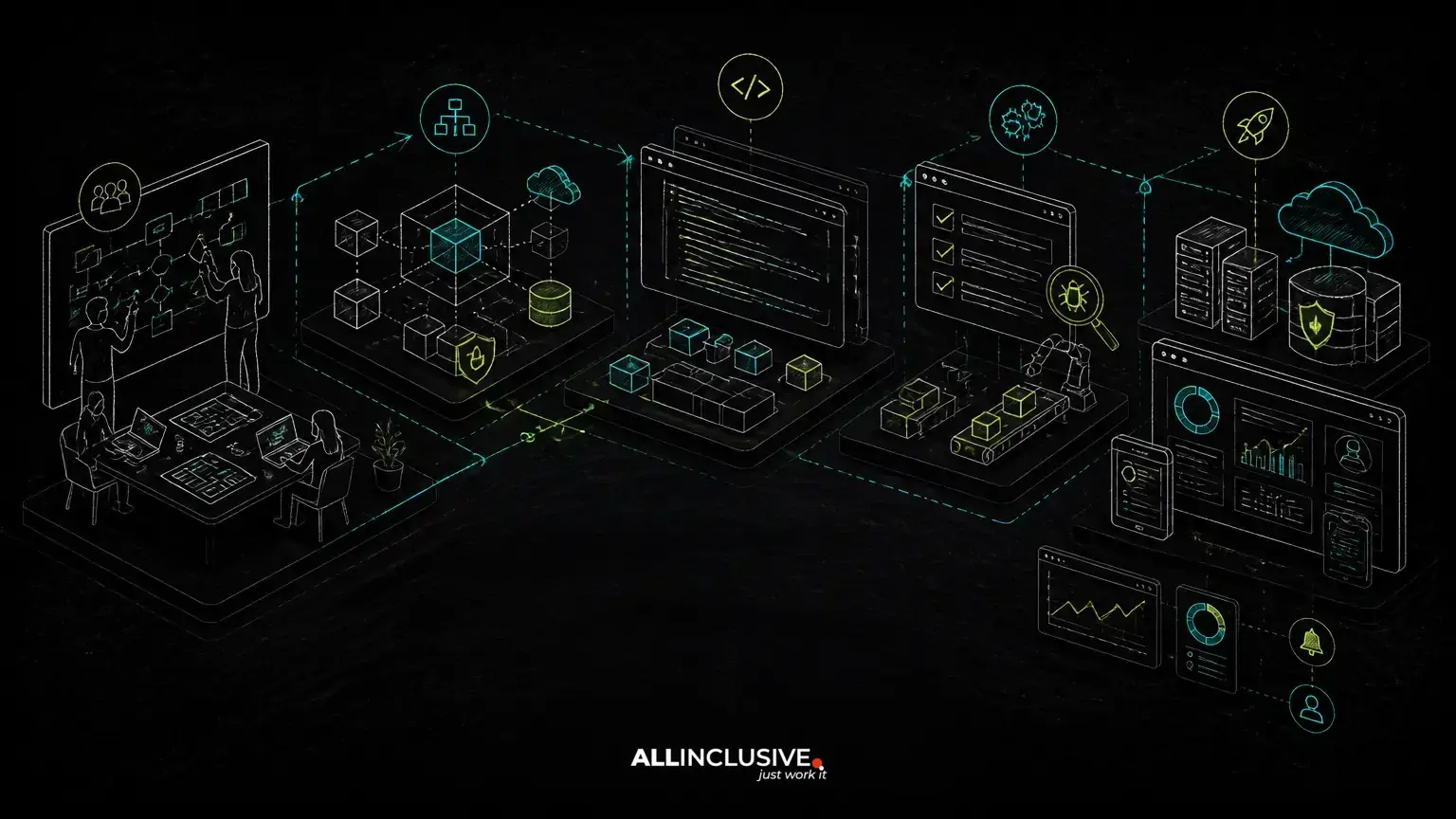
The custom web application development process should begin with the business workflow—not a preferred framework, a feature list, or a visual concept. The strongest projects first define who needs to do what, which rules govern each step, where information comes from, and what the application must make easier or safer.
That approach applies whether you are building a SaaS product, customer portal, internal operations system, marketplace, booking platform, or role-based administrative application. Discovery clarifies the workflow; architecture turns it into a maintainable system; incremental delivery exposes risks early; and launch planning protects the business from operational surprises.
This guide explains the major stages, the decisions that matter at each stage, and the failure modes that can make custom software expensive to change.
1. Define the workflow before defining the feature list
Feature lists are useful, but they rarely explain how the application should behave. A workflow describes the sequence of actions, decisions, permissions, exceptions, and outcomes that the software must support.
Start by documenting:
- Users and roles: customers, staff, managers, administrators, vendors, or external partners.
- Core objects: accounts, orders, appointments, listings, invoices, documents, or other business records.
- States and transitions: draft, submitted, approved, scheduled, paid, cancelled, or archived.
- Business rules: eligibility, availability, approval limits, pricing logic, tax handling, or cancellation policies.
- Exceptions: failed payments, duplicate submissions, conflicting bookings, missing data, and manual overrides.
- Success measures: faster processing, fewer manual handoffs, better visibility, improved customer self-service, or a viable product model.
For example, a booking application is not simply a calendar with payment processing. It may need availability rules, time zones, resource constraints, deposits, cancellations, staff overrides, notifications, and reconciliation. Mapping these relationships early prevents a polished interface from concealing incomplete business logic.
2. Decide what should be custom, configured, or purchased
Custom development is most valuable when the workflow, data model, integrations, or user experience is central to the business. It is less compelling when a stable, well-supported product already handles the requirement without forcing harmful workarounds.
Evaluate each major capability against five questions:
- Is this process a source of competitive or operational advantage?
- Does the business need behavior that standard software cannot support cleanly?
- Will the organization need control over the data model, integrations, or source code?
- Can the team operate and maintain the resulting system?
- What is the cost of adapting the business to a purchased tool compared with building the needed workflow?
A sensible solution may combine approaches. A custom application can own the core workflow while using established services for payments, email delivery, identity verification, search, analytics, or file storage. The decision should consider long-term dependency, data portability, integration reliability, licensing, and the operational impact of vendor changes—not only initial delivery speed.
3. Turn discovery into a product and technical specification
Once the workflow is understood, convert it into a shared definition of the first release. This is not a promise to document every future feature. It is a way to make scope, assumptions, and acceptance criteria visible.
A useful specification usually includes:
- Primary user journeys and the minimum viable path through each one.
- Role and permission requirements.
- Data entities, relationships, retention needs, and ownership.
- Integration boundaries and expected failure behavior.
- Non-functional requirements such as accessibility, auditability, security, performance expectations, and availability needs.
- Acceptance criteria that describe observable behavior rather than implementation details.
Separate launch-critical requirements from valuable follow-up work. For a SaaS product, that may mean supporting account creation, subscription management, a core workflow, and administrative visibility before adding advanced reporting. For an internal tool, it may mean replacing the highest-risk spreadsheet process before automating every adjacent task. The right first release is the smallest complete workflow, not the smallest collection of screens.
4. Design the architecture around ownership and boundaries
Architecture should reflect the workflow and the expected operating model. A conventional web application may use a browser client, an application layer, a relational database, background jobs, file storage, and external services. More complex products may require separate services or event-driven components, but splitting a system prematurely can increase deployment, observability, and data-consistency costs.
Important architectural decisions include:
Application structure
Choose a structure that keeps business rules understandable and testable. PHP with Laravel can be a practical choice for many workflow-heavy applications because it supports common web concerns while allowing domain-specific logic to be organized clearly. Python may be appropriate where the application depends heavily on data processing, specialized integrations, or machine learning workflows. The framework should follow the product’s needs, team capability, and maintenance plan.
Data and tenancy
For multi-tenant SaaS, decide how tenant data is isolated, how users can belong to multiple organizations, and how administrators access tenant-scoped information. Options may include shared tables with tenant identifiers, separate schemas, or separate databases. The choice affects migrations, reporting, backup strategy, support access, and the risk of cross-tenant data exposure.
Permissions and auditability
Role-based access control should describe actions and scope, not merely hide navigation items. A user may be allowed to view a record but not approve it, or manage one business unit but not another. Sensitive actions should be logged where accountability matters, including changes to permissions, financial records, approvals, and status transitions.
Integration boundaries
External systems should be treated as unreliable boundaries. Design for timeouts, retries, duplicate events, partial failures, changing credentials, and reconciliation. A payment provider may confirm a transaction asynchronously; an email service may accept a request without guaranteeing delivery; an accounting system may reject data after the application has saved it. The application needs an explicit response for each case.
5. Prototype the highest-risk user journeys
Prototypes are most valuable when they answer uncertain questions. Instead of designing every page, model the journeys most likely to expose a flawed assumption: a complicated approval chain, a multi-step checkout, a resource conflict, a tenant administrator’s setup process, or a staff member correcting an imported record.
Use wireframes, clickable prototypes, or a thin technical proof of concept to test:
- Whether users understand the next action.
- Whether the proposed data model supports real-world exceptions.
- Whether permissions are clear at each stage.
- Whether the workflow still works on smaller screens or with keyboard navigation.
- Whether an integration can provide the required data at the required time.
Testing a risky workflow before full implementation is usually cheaper than discovering the issue after database structures, APIs, and interfaces have been built around it.
6. Build the first complete vertical slice
Development should connect the user interface, application logic, database, permissions, and required integrations in a working path. A vertical slice may cover one customer action from submission through confirmation, or one internal process from intake through approval and reporting.
This is different from building all database tables first, then all APIs, then all screens. Layered delivery can leave important integration and usability problems hidden until late in the project. Vertical slices produce evidence that the architecture supports actual business behavior.
Use source control, code review, automated tests, environment configuration, and repeatable deployment practices from the beginning. Source-code ownership should be explicit: the client should understand where the code, infrastructure configuration, documentation, and production data reside, as well as how access is managed.
For applications that include AI features, distinguish a prototype from a production capability. A demonstration may show that a model can generate a response, but production software also needs input validation, permission checks, privacy controls, evaluation criteria, monitoring, fallback behavior, and a way for users to correct or challenge results.
7. Validate security, reliability, and operational behavior
Quality assurance is not limited to checking whether buttons work. It should examine whether the application protects data and behaves predictably when conditions are imperfect.
Validation should cover:
- Authentication, session handling, password recovery, and account lifecycle.
- Authorization at the server and data-access layers.
- Tenant isolation and protection against unauthorized record access.
- Input validation, output encoding, file handling, and protection of secrets.
- Payment, webhook, email, and other integration failure paths.
- Concurrency issues such as two users editing or reserving the same resource.
- Backups, restoration procedures, logging, alerting, and administrative recovery.
- Accessibility, responsive behavior, browser compatibility, and useful error messages.
Security controls should be appropriate to the data and risk profile. No application can eliminate every operational risk, but clear boundaries, least-privilege access, dependency management, testing, and monitoring reduce avoidable exposure.
8. Prepare the launch as an operational change
A launch is not simply the moment code reaches production. It is the point at which users, support staff, integrations, and business processes begin relying on the system.
Before release, confirm:
- Production environments and secrets are configured separately from development.
- Database migrations and rollback or recovery procedures are documented.
- Initial users, roles, plans, pricing, and configuration data are correct.
- Integrations have been tested with appropriate production-like conditions.
- Support ownership and escalation paths are clear.
- Users have concise guidance for new or changed workflows.
- Monitoring can identify failed jobs, integration errors, authentication problems, and unusual application behavior.
For an existing process, consider a controlled rollout, data migration rehearsal, parallel validation, or a limited user group. The appropriate approach depends on the risk of incorrect data, downtime, and operational disruption.
9. Improve the application using evidence after launch
Post-launch work should be guided by real usage and operational evidence. Review support requests, abandoned workflows, failed integrations, slow or confusing tasks, permission issues, and requests that reveal missing concepts in the original model.
Maintain a backlog that separates defects, operational improvements, workflow enhancements, and new product bets. This makes it easier to protect reliability work from being crowded out by visible feature requests.
Ongoing ownership may include dependency updates, infrastructure maintenance, security reviews, backup verification, performance investigation, documentation, and controlled releases. A custom application remains valuable when it can evolve without losing clarity or control. See support and maintenance for custom software for the operational considerations that continue after launch.
Common failure modes in custom application projects
- Starting with screens instead of workflows: the interface looks complete while approvals, exceptions, and data ownership remain undefined.
- Overbuilding the first release: too many secondary features delay validation of the core business process.
- Choosing architecture by fashion: unnecessary complexity increases delivery and maintenance risk.
- Treating permissions as a front-end concern: hiding a button does not protect an endpoint or database record.
- Ignoring failure paths: integrations, jobs, and payments rarely succeed every time.
- Leaving ownership ambiguous: unclear access to source code, environments, data, and documentation creates avoidable vendor and continuity risk.
How to select a development partner for the process
Ask prospective teams to explain how they discover workflows, document assumptions, handle permissions, test integrations, manage source-code ownership, and support the application after launch. Request examples of deliverables rather than relying only on technology lists.
A capable partner should be able to discuss trade-offs in plain language: when a modular Laravel application is sufficient, when Python is a better fit, when a purchased service is safer than custom code, and when a requirement should be postponed. The goal is not to maximize features or complexity. It is to build software that supports the business process, remains maintainable, and can be owned responsibly.
Explore custom software development capabilities and the broader web development service overview to see how product engineering, architecture, and ongoing delivery can be structured around your application’s workflow.
For related planning considerations, review SaaS MVP development, customer portal development, and internal tools development.


