
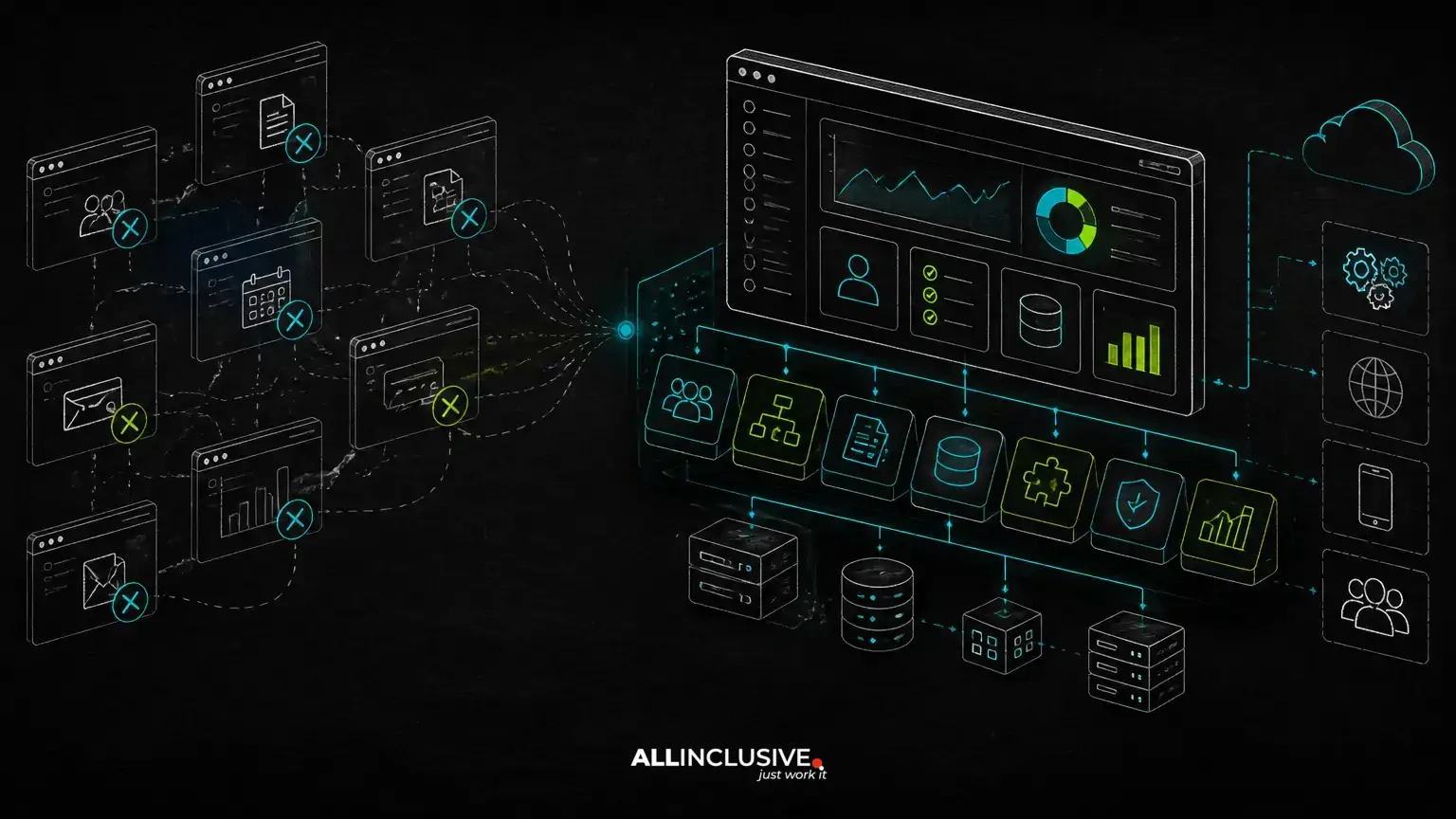
Internal tools development makes sense when your team’s most important workflows no longer fit the assumptions of off-the-shelf software. The decision is not simply whether a custom application has more features than a SaaS product. It is whether owning a workflow-specific system can reduce manual work, integration friction, operational risk or recurring constraints enough to justify building and maintaining it.
Another SaaS subscription is often the right choice for a common, well-understood capability such as basic accounting, team messaging or standard project tracking. Custom software becomes more compelling when the process is central to how your business operates, changes frequently, spans several systems or depends on rules that generic products cannot represent cleanly.
When another SaaS product starts creating operational friction
Generic software becomes expensive in ways that do not always appear on an invoice. Teams may duplicate data across systems, export spreadsheets for exceptions, reconcile records manually or ask staff to work around a rigid approval sequence. Those workarounds create training overhead and make it harder to determine which system contains the authoritative record.
Common signals that a custom internal tool deserves evaluation include:
- Employees re-enter the same information in multiple applications.
- Critical decisions depend on spreadsheets, email threads or undocumented rules.
- Users need different permissions, screens or actions based on their role.
- Existing products require expensive or fragile integrations to support a core workflow.
- The business process is a competitive differentiator rather than a commodity capability.
- Reporting requires repeated manual preparation before it can be trusted.
- Subscription limits, data models or vendor changes constrain planned growth.
None of these signals automatically justifies a build. They indicate that the cost of the current process should be measured rather than assumed to be negligible.
Compare the workflow cost, not just the subscription price
A build-versus-buy decision should include the full operating model. A SaaS subscription may provide a fast start and predictable vendor-managed maintenance. A custom system introduces design, implementation, hosting, support and ongoing change costs. It also creates an asset that can be adapted to the organization’s processes and retained under its control.
Evaluate both options against the same questions:
- Process fit: Does the product represent the actual sequence of work, including exceptions and approvals?
- Integration effort: Can it exchange reliable data with the systems already in use?
- Change cost: How difficult is it to modify rules, roles, forms and reports?
- Operational dependency: What happens if the vendor changes pricing, limits, APIs or product direction?
- Data ownership: Can the organization export and govern its data in a useful format?
- Security and access: Can permissions and audit records match the sensitivity of the workflow?
- Support responsibility: Who responds when the system fails or users need a change?
The relevant comparison is often the cost of the SaaS product plus integration, administration, workarounds and process inefficiency versus the cost of building and operating a focused internal system.
Start with the business workflow before selecting a stack
Internal tools should be designed around the work people perform, not around a list of screens. Begin by documenting the entities, states, decisions and handoffs that make the process function.
For example, an operations workflow may involve a request, an approval, an assignment, a service event, a billing decision and a resolution. Each step may have different owners, required data, deadlines and permitted transitions. Modeling those rules first helps separate the real product requirements from preferences inherited from an existing SaaS interface.
A useful discovery sequence is:
- Identify the users and the decisions each role makes.
- Map the current process, including exceptions and manual work.
- Define the authoritative record for each important entity.
- Document status transitions and approval conditions.
- List integrations and determine which system owns each field.
- Prioritize the smallest complete workflow that can operate without a parallel spreadsheet.
This workflow-first approach reduces the risk of building a polished dashboard around incomplete business rules.
Architecture choices that matter in internal systems
Role-based access control
Internal applications frequently serve administrators, managers, operators, finance users and external participants with different responsibilities. Role-based access control should govern both what a user can see and what actions they can perform. In more complex systems, permissions may also depend on an organization, department, record ownership or workflow state.
Access rules should be defined as part of the domain model rather than added as interface-level hiding. A button that is invisible in the browser is not a security boundary; authorization must be enforced on the server for every protected operation.
Auditability and traceability
When a tool supports approvals, financial decisions, customer records or operational changes, users may need to know who changed what and when. Audit records should be designed deliberately. A basic activity log may be sufficient for some workflows, while regulated or high-risk processes may require immutable event records, reason fields or versioned documents.
Multi-tenancy and organizational boundaries
If the tool serves several business units, subsidiaries or customers, tenancy should be addressed early. The architecture must prevent accidental cross-organization access and define how configuration, reporting, users and data are isolated. A single-tenant deployment, shared database with tenant scoping or stronger database-level separation may each be appropriate depending on risk, scale and operational requirements.
Integrations and synchronization
Integrations are often the hardest part of replacing a collection of SaaS products. Decide whether the internal tool is the system of record or an orchestration layer. Define how records are matched, how failures are retried, how duplicate events are handled and how users are notified when synchronization needs attention.
For business-critical integrations, asynchronous jobs and explicit status tracking are often more resilient than assuming every external request will succeed immediately. The right design depends on the APIs, data volumes and consistency requirements involved.
Billing and financial boundaries
Some internal tools eventually touch invoices, subscriptions, commissions or usage-based charges. Keep financial calculations explicit and testable. Separate operational events from finalized financial records where appropriate, and avoid treating a user interface total as the authoritative accounting value. Integrations with financial systems should define ownership, reconciliation and correction procedures.
Where PHP, Laravel or Python may fit
Technology should follow the workflow and the team’s ability to operate the system. PHP with Laravel can be a practical choice for database-driven internal applications, role-aware portals, administrative interfaces and API-backed workflows. Its value is not that it is universally superior, but that a mature web application ecosystem can support predictable delivery and long-term maintenance when it matches the project requirements.
Python may be a better fit when the system has substantial data processing, automation, scientific computation or machine-learning components. Some products use both: a conventional web application for users and business rules, with Python services or jobs for specialized processing.
AI can assist with classification, search, summarization or recommendations, but it should not silently replace deterministic business rules. Production systems need clear confidence handling, human review where appropriate, logging, privacy controls and a fallback when the model is uncertain or unavailable.
For broader product-engineering considerations, see web development services and approaches, and review the development capabilities at Allinclusive development.
Build a narrow internal product instead of a large replacement suite
The strongest first release usually replaces one complete workflow rather than attempting to reproduce every feature of several SaaS products. A focused version might include authenticated users, core records, required approvals, essential notifications, one or two integrations and operational reporting.
Features to delay may include generalized configuration, advanced analytics, mobile applications, complex automation builders and broad customization for hypothetical future teams. Delaying them is not cutting corners; it keeps the architecture aligned with validated usage.
For customer-facing or partner-facing workflows, related patterns are covered in the guides to B2B portal development and admin dashboard development. These distinctions matter because an internal operations tool may optimize for speed, control and exception handling, while a customer portal also needs onboarding, communication and self-service clarity.
Failure modes that make custom internal tools expensive
- Copying the old spreadsheet: Digitizing columns without modeling ownership, validation and state transitions preserves the underlying problems.
- Building screens before rules: UI decisions made before workflow analysis often lead to contradictory statuses and hidden manual steps.
- Ignoring integration failure: A happy-path connector is not enough when external systems time out, reject records or change data.
- Underestimating permissions: Retrofitting access control after launch can require invasive data and workflow changes.
- Creating an orphaned system: Without an owner, support process and release plan, even useful software deteriorates.
- Overbuilding for every department: Broad scope delays learning and makes the first version harder to operate.
Custom software ownership means accepting responsibility for maintenance, monitoring, backups, security updates and user support. A support and maintenance plan at support and maintenance should be considered part of the product lifecycle, not an afterthought.
A decision checklist for internal tools development
Custom internal tools are worth serious consideration when most of the following statements are true:
- The workflow is strategically important or unusually specific to the organization.
- Manual work and reconciliation create measurable operational risk.
- Existing products require multiple workarounds or overlapping subscriptions.
- The process will continue evolving and needs an adaptable domain model.
- The organization can appoint a product owner and technical owner.
- Source code, data access and deployment control have long-term value.
- The initial scope can be limited to a complete, high-value workflow.
If the process is standardized, low-risk and unlikely to change, buying may remain the better choice. If the workflow is central, differentiated and repeatedly constrained by generic tools, internal tools development can turn operational knowledge into software the organization owns and can improve.


