
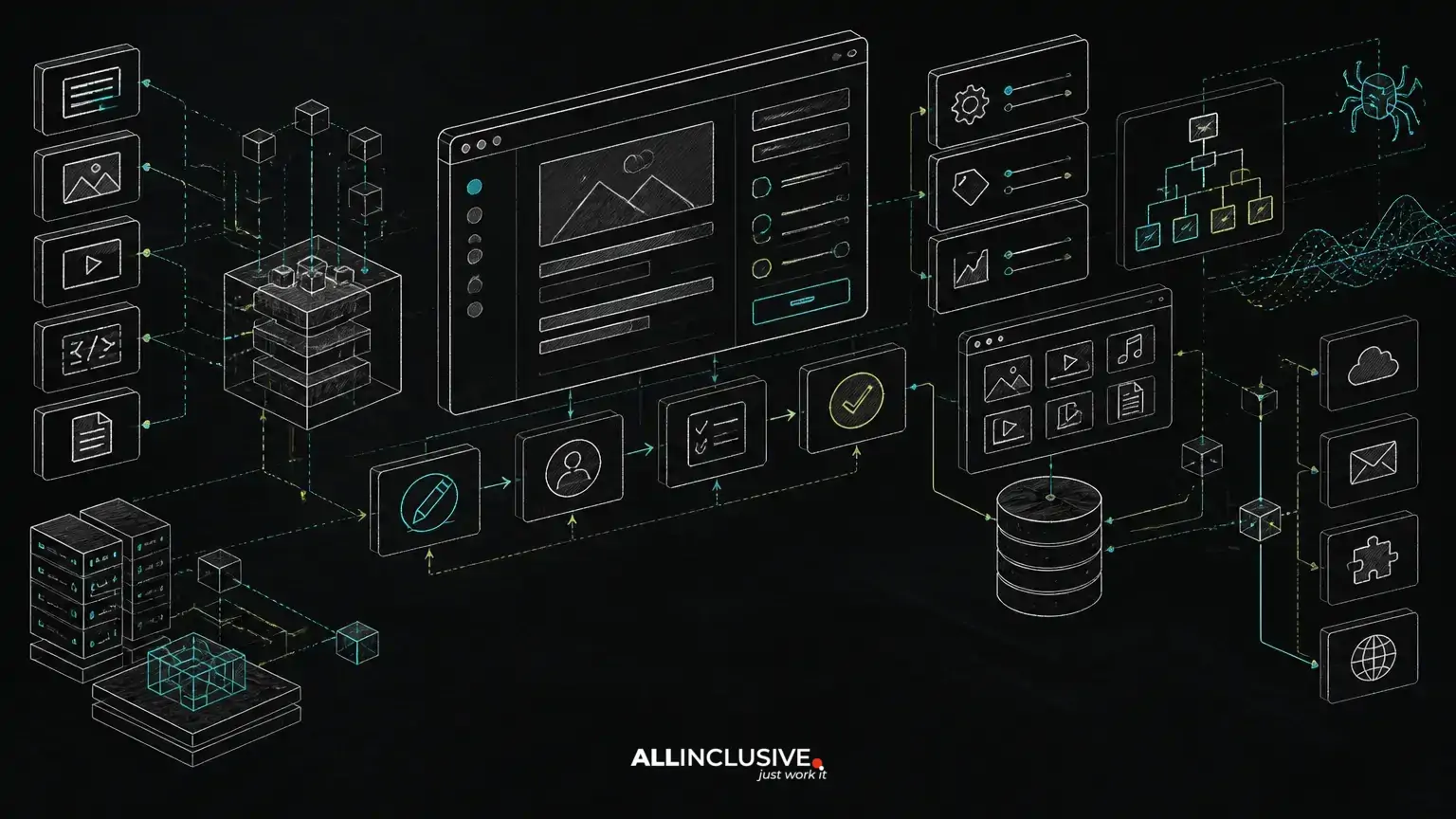
Custom CMS development cost is driven by the decisions behind the publishing experience. A basic administration interface may be straightforward to build, but a production CMS can also require structured content models, role-based workflows, previews, media processing, search, integrations, multilingual support, SEO controls and migration tooling.
The most reliable way to estimate a custom CMS is to separate the platform into capabilities and identify which requirements affect architecture, data quality, operational risk and future change. A content site with a few page types has a very different scope from a multi-brand platform supporting programmatic SEO, approval workflows and several external systems.
This guide explains the main cost variables so product owners, marketing leaders and technical teams can compare a custom build with extending an existing platform. For broader implementation considerations, see our custom CMS and SEO development guidance.
What determines custom CMS development cost?
Cost is usually shaped by scope in six connected areas:
- Content architecture: content types, fields, relationships, revisions and localization.
- Editorial operations: roles, approvals, scheduling, previews and audit history.
- Presentation and SEO: routing, rendering, metadata, canonicals, schema and internal linking.
- Integrations: CRM, commerce, search, analytics, DAM, identity and external APIs.
- Data and media: migration, image variants, documents, storage and processing.
- Ownership requirements: testing, deployment, monitoring, documentation and maintenance.
These areas interact. For example, adding a new content type can affect database relationships, editorial permissions, URL rules, structured data, sitemap generation and migration procedures. Estimation should therefore account for cross-cutting behavior rather than counting screens alone.
Content models are the foundation of the estimate
A custom CMS should model the information the organization needs to create, reuse and govern. Typical entities may include articles, products, authors, locations, landing pages, FAQs, resources and navigation items. Each entity needs defined fields, validation rules, relationships and publishing behavior.
Flexible fields versus governed structures
A highly flexible page builder can reduce initial modeling work, but it may increase content inconsistency and make SEO governance harder. A more structured model takes longer to design but can support reusable components, predictable templates, reliable schema and safer programmatic page generation.
The right balance depends on the publishing team. A marketing group that needs campaign flexibility may require composable page sections. A large knowledge base may benefit more from strict content types and controlled taxonomies. The cost question is not simply how many fields exist; it is how much validation, reuse and relationship logic those fields require.
Relationships and reusable content
Relationships introduce additional design and testing work. An article might reference an author, related guides, products, categories and downloadable assets. The system must define what happens when referenced content is unpublished, renamed or deleted. It may also need rules for displaying related content and generating contextual internal links.
These decisions affect maintainability. A custom CMS with explicit relationships can support consistent navigation and content reuse, while an unstructured model may create manual work and broken references as the site grows.
Editorial workflows add business rules
Workflow requirements are a common source of underestimated scope. A simple draft-and-publish process is different from a system with writers, editors, legal reviewers, regional owners and scheduled releases.
Potential workflow capabilities include:
- Role-based permissions by content type, brand, region or business unit.
- Draft, review, approval, scheduled and archived states.
- Required fields before submission or publication.
- Revision comparison and rollback.
- Comments, task assignment and approval history.
- Preview environments for unpublished content.
- Bulk actions and controlled publishing.
Workflow design should reflect real operating practices rather than replicate an organizational chart. Every additional state or permission rule creates interface, data, testing and support requirements. A Laravel or PHP backend can implement these rules cleanly, but the complexity still comes from the business process being modeled.
SEO architecture should be built into the CMS
SEO controls are less expensive and more reliable when they are part of the platform design instead of added after templates are complete. A custom CMS should establish who controls each SEO element, what is generated automatically and which values require editorial review.
Routing and rendering
URL generation should be deterministic and governed by content type, hierarchy and slug rules. The platform should define how URLs change when content is moved or renamed, and whether previous paths create redirects. Rendering decisions also matter: server-rendered or pre-rendered pages can make crawling and initial delivery more predictable, while client-only rendering may create additional technical and validation requirements.
Metadata, canonicals and indexation
Editors may need controls for title tags, meta descriptions, social metadata, canonical URLs and robots directives. These controls should include sensible defaults and validation rather than relying on every editor to understand technical SEO.
Indexation rules should be explicit for filtered pages, search results, preview routes, duplicate variations and low-value generated pages. If the CMS supports programmatic SEO, templates should define which combinations are allowed, what unique content is required and when a page should remain out of the index.
Sitemaps, schema and internal linking
Sitemaps should be generated from published, indexable content rather than from every record in the database. Schema markup should correspond to the content model and page purpose, with validation during development and editorial safeguards where appropriate.
Internal linking can be supported through related-content relationships, taxonomy pages, editorial recommendations or carefully governed automation. AI-assisted suggestions may help identify relevant links or draft metadata, but production workflows should preserve human review, traceability and the ability to reject unsuitable output.
For a more detailed requirements checklist, see SEO requirements for a custom CMS and the custom CMS SEO checklist.
Integrations can change the architecture
Integrations are not all equal. A read-only analytics connection may be relatively contained, while synchronizing product data, customer records or digital assets can affect the CMS data model and publishing process.
Common integration categories include:
- Identity: single sign-on, user provisioning and role mapping.
- Commerce or product systems: catalog data, availability, pricing and merchandising.
- CRM and marketing platforms: forms, leads, audiences and campaign data.
- Search: indexing, faceting, typo tolerance and permissions.
- Media systems: asset storage, transformations, rights and metadata.
- Analytics: consent-aware event tracking and reporting identifiers.
Estimate not only the API connection but also authentication, retries, rate limits, error handling, reconciliation, monitoring and ownership. A synchronous integration can slow or block publishing if an external service is unavailable. An asynchronous design may improve resilience but requires queues, status tracking and operational visibility.
Media pipelines and migrations are frequent hidden costs
Images, video, documents and other assets often require more than file upload. A mature media pipeline may include resizing, format conversion, responsive variants, metadata extraction, virus scanning, access control, CDN delivery and replacement rules.
Migration is another major variable. Existing content may contain inconsistent HTML, obsolete URLs, missing metadata, duplicated assets or relationships that do not map directly to the new model. A responsible migration plan includes field mapping, transformation scripts, test imports, redirect mapping, validation and a rollback strategy.
Migration decisions should be made before finalizing the content model. Otherwise, the organization may pay to build a structure that cannot represent important legacy content without manual exceptions.
Programmatic SEO requires governance, not just templates
Programmatic SEO can extend a CMS beyond manually authored pages, but it introduces quality and indexation risks. The platform may need structured datasets, template variables, uniqueness rules, geographic or product taxonomies, canonical logic and automated sitemap behavior.
A sound implementation should answer:
- Which combinations are valid and worth publishing?
- What makes each page materially useful and distinct?
- Who approves generated page sets?
- How are changes to source data reflected?
- What happens when a page loses its underlying data?
- How are thin, duplicate or expired pages prevented from being indexed?
AI-assisted tooling can support content classification, metadata drafts, link recommendations or migration mapping. It should be treated as an assistive layer with permissions, review states, logging and quality controls—not as a substitute for content strategy or publishing governance.
Build approach and technology choices
A custom CMS can be implemented as a modular monolith, a headless platform, a traditional server-rendered application or a combination of these patterns. The choice should follow delivery and ownership needs.
- Modular monolith: often simpler to deploy and operate while keeping content, workflows and presentation close together.
- Headless architecture: useful when multiple front ends or channels need the same content, but it adds API, preview and caching considerations.
- Server-rendered application: can provide a direct path to crawlable pages and integrated routing, metadata and templates.
- Separate frontend and backend: may support independent team ownership, but requires stronger contracts and release coordination.
Laravel and PHP are practical choices for a custom CMS when the team values a mature web ecosystem, clear application structure and control over domain-specific behavior. The important estimation question is not the framework label; it is how the selected architecture will be tested, deployed, monitored and maintained by the organization.
Our custom software development practice can help teams evaluate those architecture and delivery trade-offs before implementation begins.
How to create a more reliable estimate
Start with a capability map rather than a list of visual screens. For each capability, document the users involved, business rules, data dependencies, SEO implications, integration points and acceptance criteria.
- Inventory current content types, URLs, assets and publishing roles.
- Define the target content model and identify uncertain relationships.
- Specify workflow states, permissions and approval evidence.
- Document routing, redirects, metadata, canonical and indexation rules.
- List integrations and classify each by read/write behavior and failure impact.
- Separate the initial release from later automation and optimization.
- Include migration, testing, deployment, monitoring and training in the scope.
Use a discovery phase to resolve the decisions with the highest downstream impact. A clickable admin prototype may clarify workflow usability, while a technical spike can test a difficult integration, migration transformation or rendering strategy.
Questions to ask before approving a custom CMS project
- Which content needs structured fields and which needs flexible composition?
- Can editors preview every important page state before publication?
- Who owns URL changes, redirects and metadata defaults?
- How does the system prevent accidental noindex directives or broken canonicals?
- What happens when an external integration fails during publishing?
- How will media variants, permissions and asset replacements be handled?
- Which pages are generated automatically, and what quality gates apply?
- Who will maintain the platform after launch?
The right investment is not the CMS with the largest feature list. It is the platform whose content model, workflow and technical controls match the organization’s publishing operation without creating unnecessary ownership burden. A custom build becomes easier to justify when it solves a measurable constraint—such as complex governance, multi-channel reuse, specialized integrations or programmatic publishing—that an off-the-shelf system cannot handle cleanly.
For teams assessing search requirements alongside implementation scope, our SEO services provide a useful complement to CMS architecture planning.


