
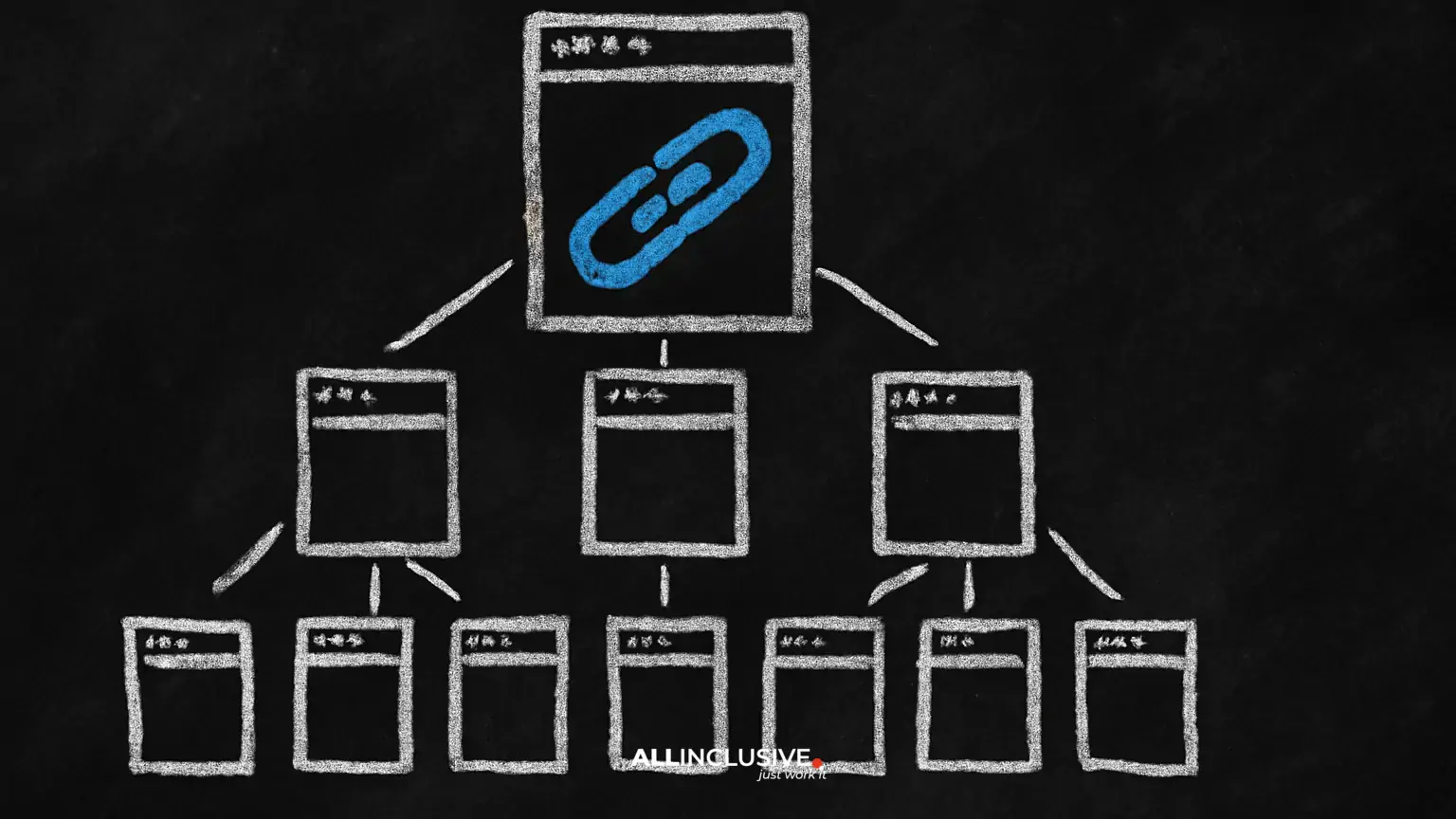
Internal links connect one page on your website to another page on the same website. They are easy to add, but their value depends on purpose: each link should help a visitor continue a task, understand a related idea, or reach an important page.
When internal links are planned alongside content and technical SEO, they create a usable site architecture. Search engines can discover pages and interpret relationships between them, while visitors can move from broad explanations to specific details, services, products, or next steps.
This guide presents a practical internal linking strategy based on topic clusters, clear navigation, descriptive anchor text, and regular maintenance. For the broader technical foundation, see Allinclusive’s technical SEO guidance.
Why internal linking matters
Internal linking supports several connected goals, but it is not a substitute for useful content or sound technical implementation.
It helps discovery and structure
Search engines commonly discover pages by following links from pages they already know. A logical network of internal links gives important pages more paths to discovery and helps communicate how topics fit together.
Links also provide human-readable context. A page about crawlability that links to a detailed explanation of XML sitemaps signals a useful relationship more clearly than an unrelated link placed in a template.
It distributes attention through the site
Pages that attract links from other websites or users can become useful starting points for visitors and crawlers. Linking from those pages to relevant, valuable destinations can help distribute the site’s internal prominence. This is best understood as a prioritization and navigation practice, not a guaranteed ranking mechanism.
It improves user journeys
A well-placed link answers the natural question that follows a passage. An educational article might link to a service page, a glossary definition, a case-specific guide, or a related article. The visitor chooses whether to continue, so the link should be relevant rather than disruptive.
Build a topic-cluster model
A topic cluster groups pages around a central subject. The broad page is the hub or pillar; narrower pages cover specific questions, use cases, processes, or subtopics. Internal links connect the pages where the relationship is genuinely useful.
For example, a site focused on search marketing might organize content like this:
- Hub: technical SEO fundamentals.
- Supporting pages: crawling, indexing, structured data, redirects, site speed, and internal linking.
- Related commercial page: technical SEO services.
The hub should introduce the subject and direct readers to deeper explanations. Supporting pages should link back when the hub is a useful overview, and they may link sideways when two detailed topics naturally belong together. The goal is not to force every page to link to every other page. The goal is to create a coherent route through the subject.
Choose the right hub
A hub should represent a meaningful business topic and satisfy a broad intent. It may be a service, category, guide, resource center, or other page that deserves sustained visibility. Avoid naming dozens of thin hubs simply because they contain related keywords.
Ask:
- Does this topic matter to the audience and the organization?
- Can it be divided into distinct supporting questions?
- Would a broad overview be more useful than several disconnected pages?
- Is there a clear page that should own the broad intent?
Map supporting pages by intent
List existing and planned pages beneath each hub. Give every page a distinct purpose. If two pages answer essentially the same question for the same audience, decide whether to consolidate, redirect, canonicalize, or differentiate them before adding more links.
A simple content map can include the page URL, primary intent, audience stage, hub, supporting topics, target conversion, and recommended links. This turns internal linking from an afterthought into an editorial requirement.
Connect internal linking to site architecture
Site architecture is the way pages are organized, navigated, and connected. Internal links are one of its most flexible components, alongside menus, breadcrumbs, URL patterns, and XML or HTML sitemaps.
Use navigation for consistently important destinations. Use contextual links for relationships that depend on the page’s subject. Use breadcrumbs where they accurately represent hierarchy. A URL folder can support organization, but a folder alone does not create a topic cluster; the links and content relationships still need to make sense.
Keep important pages reachable
Visitors should not have to search through several layers of unrelated pages to reach an important destination. Review the paths from the homepage, main navigation, hub pages, and high-traffic articles. If a valuable page is reachable only through a single obscure route, add a relevant path from a stronger contextual or navigational location.
Do not treat an arbitrary click-count rule as a universal law. The practical test is whether users and crawlers can reach important pages through clear, stable links without unnecessary depth.
Prevent orphan pages
An orphan page has no meaningful internal links pointing to it. A sitemap or direct URL may still expose it, but the page lacks a normal route through the site. Valuable pages should generally be connected to relevant hubs, navigation, or related content. Pages that are obsolete or intentionally excluded should be handled through an appropriate removal or indexing decision rather than hidden indefinitely.
Use contextual links with descriptive anchors
Anchor text is the clickable text of a link. It should tell readers what they will find after clicking. “Read more” and “click here” provide little context, while a phrase such as “how to audit internal links” is more informative when it accurately describes the destination.
Good anchor text is:
- Specific: it identifies the destination’s subject or action.
- Natural: it fits the surrounding sentence.
- Concise: it avoids turning an entire paragraph into a link.
- Consistent with the destination: it does not promise information the page does not provide.
There is no need to make every anchor an exact keyword match. Repeating the same phrase mechanically can make copy awkward and reduce clarity. Use accurate variations when the context changes, while keeping the destination’s subject clear.
Place links where they help
A contextual link is strongest when it appears near the explanation that creates the need for it. If an article mentions redirect chains, link to a relevant redirect guide at that point rather than placing every related link in a generic list at the end.
Also consider the destination’s role. A link from an informational article to a service page may be appropriate when the article explains a problem that the service addresses, but the transition should be transparent and useful rather than promotional filler.
Audit your existing internal links
Before redesigning your link structure, establish what already exists. A crawl or site audit can help identify pages, links, status codes, redirects, canonical signals, indexability, and crawl paths. Analytics and search performance data can add business context, but no single tool should be treated as a complete view.
Check for high-impact issues
- Broken links: replace or remove links that lead to missing pages.
- Redirecting internal links: update links to point directly to the final relevant URL when the destination is stable.
- Redirect chains or loops: resolve the chain and then correct internal references.
- Insecure or incorrect URLs: use the canonical HTTPS destination where applicable.
- Orphan pages: connect valuable pages to relevant parts of the site.
- Unclear destinations: revise vague or misleading anchor text.
- Overlinked templates: remove repetitive links that add visual noise or little navigational value.
- Important pages with few relevant links: look for contextual opportunities from established content.
Be careful with blanket rules. There is no universal ideal number of internal links per page. A long reference page may need more links than a short landing page. Relevance, usability, page purpose, and maintainability matter more than an arbitrary quota.
Prioritize pages and links
Start with pages that affect business outcomes, support strategic topics, or already receive meaningful attention. Then inspect their incoming links, outgoing links, placement, anchor text, and destination quality.
A useful audit question is: If a visitor reads this paragraph, what would they reasonably want to do next? The answer often reveals a better internal-link opportunity than a keyword report alone.
Create an internal linking workflow
- Inventory the site. Export indexable URLs, page types, status codes, titles, and existing internal-link data.
- Define priority pages. Mark hubs, revenue pages, conversion paths, strategic resources, and pages that deserve more visibility.
- Group by topic and intent. Build clusters and identify overlapping or missing coverage.
- Assign link roles. Decide which relationships belong in navigation, breadcrumbs, contextual copy, related-content modules, or footers.
- Write link recommendations. Record source page, destination page, suggested anchor, surrounding context, and reason.
- Implement carefully. Use stable HTTPS URLs, avoid unnecessary redirects, and preserve accessibility.
- Validate. Re-crawl after deployment and check links, rendering, status codes, indexing directives, and user journeys.
- Review continuously. Add links when publishing related content and revisit important clusters during content updates.
For organizations coordinating technical work with content production, an integrated SEO services approach can help keep architecture, content priorities, and measurement aligned. Internal linking should be part of the publishing checklist, not a one-time cleanup project.
Measure whether the structure is improving
Internal-link changes rarely produce a clean, isolated result because rankings and traffic are influenced by content quality, competition, technical factors, demand, and external links. Measure several signals together:
- Whether priority pages are linked from relevant, discoverable pages.
- Whether orphaned and unnecessarily deep pages have been reduced.
- Whether broken links and redirecting internal links have been resolved.
- Whether visitors move from informational pages to appropriate next steps.
- Whether impressions, clicks, conversions, or assisted conversions change for priority pages over a reasonable observation period.
- Whether engagement and navigation patterns indicate that links are useful rather than distracting.
Document what changed and when. Avoid attributing every performance movement to internal links alone, especially when content, templates, migrations, or search demand changed at the same time.
Common mistakes to avoid
- Linking every page to every other page: excessive connections dilute attention and make navigation harder.
- Using links only for keywords: a link should serve the reader first.
- Creating near-duplicate pages: more URLs do not automatically create more topical coverage.
- Ignoring commercial intent: useful informational content should offer relevant next steps without turning every paragraph into a sales pitch.
- Relying on menus alone: contextual relationships often need in-content explanation.
- Leaving old links untouched after migrations: outdated paths create avoidable redirects and broken experiences.
- Treating authority flow as guaranteed: internal links support discovery and prioritization, but they cannot compensate for weak content or poor technical health.
Conclusion
A durable internal linking strategy starts with a clear site architecture and distinct page purposes. Organize content into meaningful topic clusters, connect hubs with supporting pages, use descriptive anchors, and place links where they advance the visitor’s task. Then audit the structure regularly for broken paths, orphan pages, redirects, overlap, and missed connections.
The best internal links are not the most numerous. They are the links that make the site easier to understand, easier to navigate, and more useful to the people it serves.